Dernière version d'IB Gateway
IB GATEWAY SOFTWARE
This version of the IB Gateway platform is only available from a desktop computer.
Click the button below if you would like to learn more about our mobile trading solutions.
Dernière version d'IB Gateway pour Windows
Étape 1 : Cliquez sur le bouton de téléchargement pour commencer à installer IB Gateway et télécharger/installer les instructions.
Étape 2 : Une fois l'installation terminée, cliquez sur l'icône IB Gateway sur votre bureau pour vous connecter.
IB Gateway Installation Instructions


Click the "Run" button to start the download.
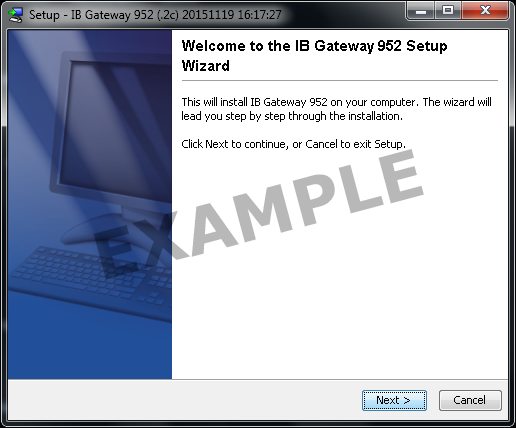
Use the Setup Wizard to complete the installation.
When the installation is complete, an API icon is installed on your desktop.

IB Gateway Installation Instructions

Click your Downloads folder to see the list of available files, and double-click the ibg-.dmg file to open it.
If the Downloads folder is not in your dock, you may locate it under Macintosh HD > Users > yourusername > Downloads


Double-click the Trader Workstation icon to initiate installation.

Click “Open” to confirm and start the installation.
A proprietary Java Runtime Environment is included with this package and may take a minute to install – please wait!
The Setup Wizard will display when the installation is complete.
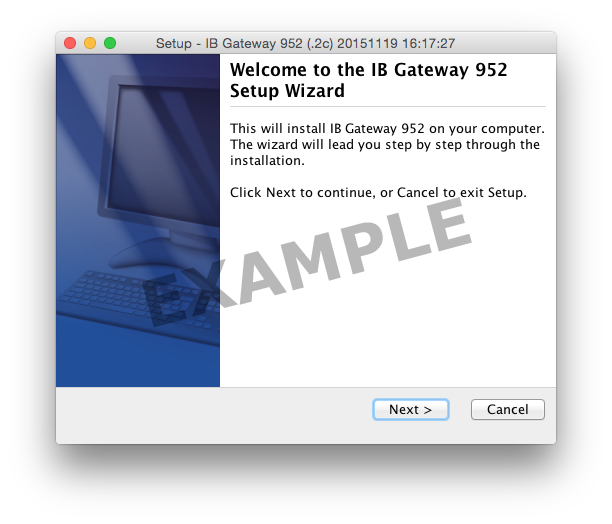
Use the Setup Wizard to complete the installation. When the installation is complete, an API icon is installed on your desktop.
You can also launch the IB Gateway software from the Trader Workstation folder located under Macintosh HD > Users > yourusername > Applications > Trader Workstation.

IB Gateway Installation Instructions
Click the "Run" button to start the download.
Use the Setup Wizard to complete the installation.
When the installation is complete, an API icon is installed on your desktop.
